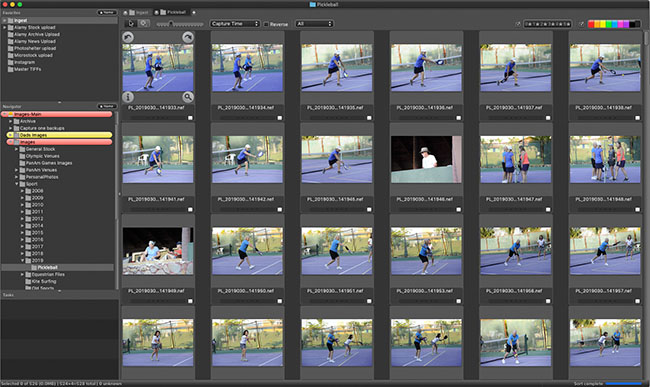

Database up and running

After three long days the on-line image database is back on line - many thanks to everyone at Photoshelter who have been first class in getting us up and running again. In fact, there are many new facilities now available including the ability to order prints directly from the site for many of the images.

Ordering images for publication could not be easier - perform a search, add the image to your basket, fill in the usage requirements and the image will be automatically priced for you. In addition many images are available as Royalty Free licenses at fixed prices. You can search for only Royalty Free by checking that box in the search page.

More news to follow soon.

It looks like Digital Railroad is going into liquidation so if you were thinking of signing up with them don’t part with your money. My own on-line database is run through Digital Railroad and I am in the process of immediately switching this to Photoshelter. Photoshelter have made a very generous offer to give 3 months extra credit to anyone making the switch so if you already a DRR customer don’t delay - urgently make a switch.

BEWARE - THE SIGN UP PAGE IS STILL OPERATIONAL - YOU ARE PUTTING YOUR MONEY IN A FAILING COMPANY. THE TELEPHONE NUMBERS HAVE BEEN DISABLED

LATEST UPDATE - THERE IS NOW A MESSAGE ON THE SITE INDICATING THAT DIGITAL RAILROAD HAS SHUT DOWN

Anyone who has been on one of my workshops will certainly have heard me say that “camera shake ruins more photos than practically any other cause.” I drum correct technique for hand holding a camera and lens, provide rules for how and when you can hand hold and otherwise berate people for not using correct camera supports in the way of monopod or tripod usage.

However, there is a time when all these rules can be thrown out of the window, and this is when you deliberately move the camera to create a particular effect. The simplest effect is panning with a moving subject. This creates the typical ‘moving background’ effect that everyone is familiar with.

Panning with a player at polo match

Nikon D2x, 600mm f4, 200 ISO, 1/30 at f16

However there are other tehniques to introduce a sense of dynamic movement into your images. Try for example twisting the camera in a circular motion while taking the image. You will need a long shutter speed to allow this effect to be recorded, try something in excess of 1/8 second and twist the camera rapidly.

Koi carp - moving camera in circular motion

Koi carp - moving camera in circular motion

Nikon D3, AF-S VR Micro-Nikkor 105mm f/2.8G IF-ED, ISO 100, 1/8th @ f32

You can also try shaking the camera up and down - yes I mean actually deliberately shaking the camera!!

Showjumper with camera movement

Showjumper with camera movement

Nikon D2x - 80 - 200 f2.8 lens, ISO 100, 1/20th @ f2.8

In this case I have both moved the camera from side to side and twisted.

Experiment - remember it costs nothing to try different things when shooting digital.

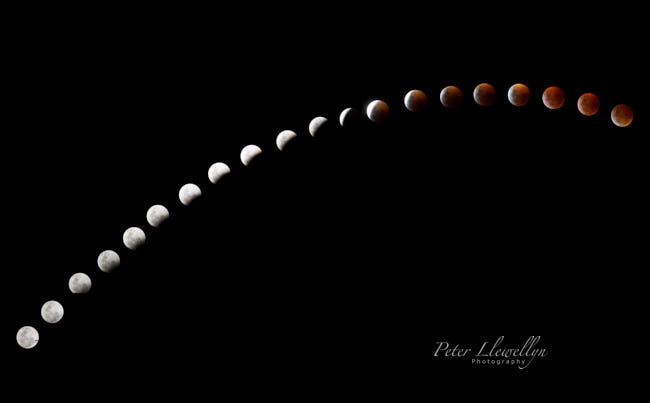
Monday of this week saw the harvest full moon. A tradition on Gabriola Island is for the local drummers to gather at Drumbeg Provincial Park shortly before sunset and to “drum in the full moon”. They do this each full moon throughout the summer and it can be quite a stirring event. I decided to photograph both the drummers and the rising moon which can be quite a challenge, while the moon hovers low in the sky many photographers opt for long exposures to get the effect they want, but are then very disappointed with the results, not realizing how rapidly the moon actually moves, especially in the early stages of it’s journey above the horizon.

Nikon D3, 105mm f2.8 lens, 1/20th @ f16, Fill flash at -2/3 stop to illuminate drummers, ISO 200
Mounted on Gitzo tripod with Arca Swiss ballhead

It is also very easy for the brightness of the moon to really fool the camera’s metering system, likewise if you continuing photographing until after darkness has set in the amount of the unlit part of your scene can render autoexposure totally useless. The beauty of digital of course is bracket, experiment, and read your histogram. Most people will overexpose the moon at their first attempt and it appears in the photo as a bright blob.

It is  difficult to give clear instructions for shooting lunar images as there are many variables, including the brightness of ambient light, if any, and the angle from the earth at which you are shooting. I usually make a couple of test shots with the camera set at aperture priority automatic, and dial in around 3 to 4 stops of underexposure, making sure I note the exposure the camera gives me. Then I take a look at the image on the camera’s screen and check out the histogram. Now I switch to maual exposure and fre away, regularly checking the image and histogram as the moon rises above the horizon.

A good starting point will be around 1/250th of a second, f16, and ISO 200. Do not be tempted to turn the ISO up - the moon is a bright object set against a dark background and you don’t want to introduce excessive noise into the dark areas.

Remember that long exposures will not work, given more than a couple of seconds you will be surprised how far the moon actually moves, especially as it is rising. Use a tripod, you cannot hand hold these shots, nad use a cable release if you have one. Use the longest lens you have otherwise the moon is going to appear more like a large star. If you are having difficulty focusing simply set your lens at infinity - I am pretty sure the moon is somewhere out at that setting!

A ‘correctly’ exposed moon shot retaining full detail in the craters
Nikon D3, 600mm lens with 1.7 x converter, 125th @ f16, ISO 200 mounted on Gitzo Tripod with Wimberley head tightly locked down and with a cable release to reduce vibration to a minimum

Unfortunately anyone who was interested in booking the Gauatemala Field Trip originally scheduled for January 2009 will be disappointed to learn thatthis trip has been unavoidably cancelled. I will be covering the Australian Open Tennis in Melbourne during this period.

Photoshelter, the on-line personal photo archive site has announced the closure of it’s stock sales site, citing ‘difficulties in the stock photography business’. Personally I am finding sales of stock images are increasing, but the main difference is that I am selling to niche markets in which I am known and specialize, whereas Photoshelter and the likes are trying to compete with the big boys like Getty and Corbis and be a major player.

Unfortunately, there is a big difference. The major agencies have a system of quality control and provide top quality images from top quality photographers. Photoshelter accepts images from anyone wishing to pay the up front fees and are actually a ’storage’ company, providing photographers with an off-site back-up and possible sales portal for their images. Of course, not all photographes are very good at quality control on their own images, so when everyones images are combined into a sales portal a potential client is likely to find a considerable number of mediocre images in among the excellent photos available. Photo researchers do not have the time to sort through a pile of mediocre quality images to find the top quality image they want, so inevitably will go back to the major players, knowing they can find only quality images, very quickly.

Even the micro-stock agencies have strict quality control procedures in place, which is one of the secrets to their success.

Moral of the story - be your own worst critic when selecting images to be sent to an agency and choose your sales agents with care.

Adobe has announced that it’s latest version of the Creative Suite will be updated and available as Creative Suite 4 later this month. Availability is currently scheduled for September 23 2008.

The new software Suite will  include Photoshop 4 which will be available as a stand alone upgrade. The new versions have concentrated on speed, both in the workflow and actual program speed, improved integration between the various programs making up the Suite, and huge advances in 3D rendering, although this is likely to be the least important for readers of this blog.

To improve speed issue the new version of Photoshop makes use of the latest computer technology, particularly 64 bit processing and improved use of video cards. (Make sure your video card is good enough - poor video card performance is one of the major causes of slowdown in Apple Aperture so it is likely that this will also be the case in the new version of Photoshop if it is relying on video card performance).

Although not slated to be shipped at the same time as the new version a further enhancment that will shortly be available as an add-on will be the capability to tailory our menu items to show only those that you use. A big critisism of current versions of Photoshop is that it is such a huge program and most users utilize just a small proportion of it. Often the sheer size makes navigating to the areas you want to use difficult and time consuming - soon you will be able to show just the menu items you want.

In addition to the full-blown version of Photoshop there will be a new version of Adobe Elements and a new product, Photoshop Express. Photoshop Express will be an on-line product that will allow you to upload images to an Adobe web site and perform simple adjustments and manipulations and to then download, send, or store the results. This will be a free service that will give the user 5GB of on-line storage. It is aimed at the mass-market user such as cell phone users who will be able to upload images direct to the Adobe site from their phones.

The new version of Adobe Elements, version 7, still aimed at the hobbyist and amateur photographer, will remain basically a stripped down vesion of Photoshop, but with a number of new enhancements. These include an on-line storage of 5Gb and access to several on-line features not available direct within the program, including a range of templates, ideas, and how-to’s. In the future this may include a marketplace to allow your photos to be viewed and possibly sold on-line. Elements pricing will continue to be around $100

Further information and a podcst from Adobe on the new announcements can be found at http://creativesuitepodcast.com/index.php?post_id=375336

After being away on my Olympic assignment for a total of 21 days I am glad to now be back in Canada. My travel home went reasonably smoothly except that once again my Pelican equipment shipping box was opened on each leg of the journey by airport security services.

Now, in principal, I have no objection to the box being opened, but each item inside is carefully packed in foam to it’s assigned place. The total value of the gear inside the box is in the order of $35,000 and represents not only a considerable investment in money but also the means for me to continue my livelihood. Why is it then that the Hong Kong Authorities who opened the box carefully put everything back, exactly as I had packed it, yet the TSA authorities in the USA have a blatant disregard for one’s property and also pack a note inside the opened box stating that they accept no responsibility for damage or loss of contents that may be caused by their actions. After the TSA had opened the box everything was thrown back inside in a totally careless fashion and it is a wonder that everything survived the last flight intact

I believe this is totally unacceptable behaviour, yet what can you do? They provide no means of contacting them and accept no complaints. Unfortunately, typical American behaviour. To add insult to injuty on each of the last 6 occasins I have flown, not only has the box been opened, but every time the special TSA locks have either been totally destroyed or have been removed and not replaced. These locks are designed so that the TSA can open them using a special key, but obviously the use of the key is beyond the understanding of their operatives. Frankly, there is no point in purchasing these locks, you are wasting your money.

If anyone has been able to get any redress from the TSA I would love to hear from you.

I am writing my final blog of this Olympics from my hotel room where we are virtually locked in by Hurricane Nuri that will shortly make a direct hit on Hong Kong. As I am writing the TV is informing me that the hurricane is gaining strength and we are going from Hurricane warning 8 to 9 and may possibly go higher later today. The airport and all local transportation systems are closed down so there is little to do but wait it out. Not even possible to do any photos without risking damage to equipment as there is driving rain and anyway it would be almost impossible to hold a camera still or even remain standing.

The final horse has jumped at the 2008 Olympics, although the win by Canada’s Eric Lamaze was overshadowed by the doping scandal that broke yesterday.

Eric Lamaze (CAN) riding Hickstead, Individual jumping final

Eric Lamaze (CAN) riding Hickstead, Individual jumping final

To everyones surprise, only 15 horses were so far tested, with four positive results, a very worrying percentage, which begs the question how many got away with it? The FEI needs to address this mater urgently otherwise our sport may be in danger of being dropped from the Olympics altogether. I have a feeling that we have not heard the last of this story.

Gold medalist Eric Lamaze (CAN), Individual jumping final

Gold medalist Eric Lamaze (CAN), Individual jumping final

So, what did I learn from this Olympics?

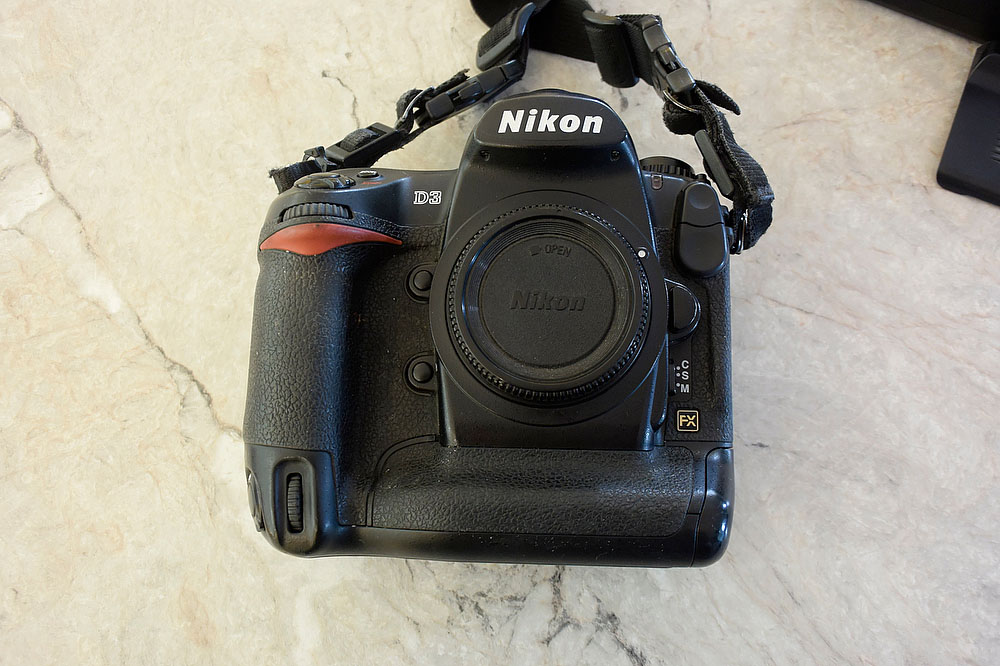
  1. The D3 is the greatest camera Nikon have ever produced, shooting flawlessly in difficult lighting conditions for 10,948 images. (All images available from www.horsesourcephotos.com)
  2. The 200-400mm f4 lens is the most versatile telephoto zoom in the Nikon line-up and accounted for well over half of all the images made. Of the remainder most were shot on the 600mm f4 with small numbers on all my other lenses.
  3. Equestrian riders and vets are stupid enough to think they can get away with doping horses.
  4. Julian Hibbert (who I worked with for many years on the Times newspaper in London when I was shooting general sport and now works for Getty Images) loves photographing dressage. Other photographers in the media centre had a collection to send him for psychiatric analysis and therapy but then decided the money was better spent on beer.
  5. For every member of the media there has been 10 volunteers who’s mission was to slow you down in getting from one place to another as much as possible.
  6. The Chinese eat pork with almost everything, not good if you are a vegetarian like me. One must also be grateful that the FEI President, Princess Haya of Jordan, who is a Muslim, did not have to eat in the media restaurant or she would now be a very thin person.
  7. The Chinese have been much better at organizing the Olympics than anyone thought possible - overall, despite the problems and irritations, this has been a very successful games.
  8. I do not want to photograph a horse jumping a fence or prancing around the dressage ring for a very long time!

I certainly hope that you have enjoyed reading my posts from these Olympics. There is a chance that I may be back in sports photography and will attend the London Games, but working as a sports photographer for one of the major agencies. Watch this space!

I will of course still be running my workshops and field trips and look forward to perhaps seeing some of you in the future. I will make a couple more posts from Hong Kong, hurricane Nuri allowing, if I can get out and do some other photography before leaving on Monday.

In a sad turn of events this evening 4 riders have been suspended after horses tested positive for banned substances. If upheld this will affect at least the bronze medal winners.

Alexander Mc, Clin, FEI Secretary General, FEI Press conference to discuss doping suspensions of 4 riders

Alexander Mc, Clin, FEI Secretary General, FEI Press conference to discuss doping suspensions of 4 riders

The riders involved are Chritian Ahlmann of Germany, Bernardo Alves of Brazil, Denis Lynch of Ireland and Tony Andre Hansen of Norway.

I cannot for the life of me understand how these people think they can get away with this behavior. In Hong Kong at the racecourse they have probably the most sophisticated drugs testing facility anywhere in the equestrian world. There is only one word to describe this behaviour - STUPID!

« Older entries